AI code review
An agent reviews every pull request
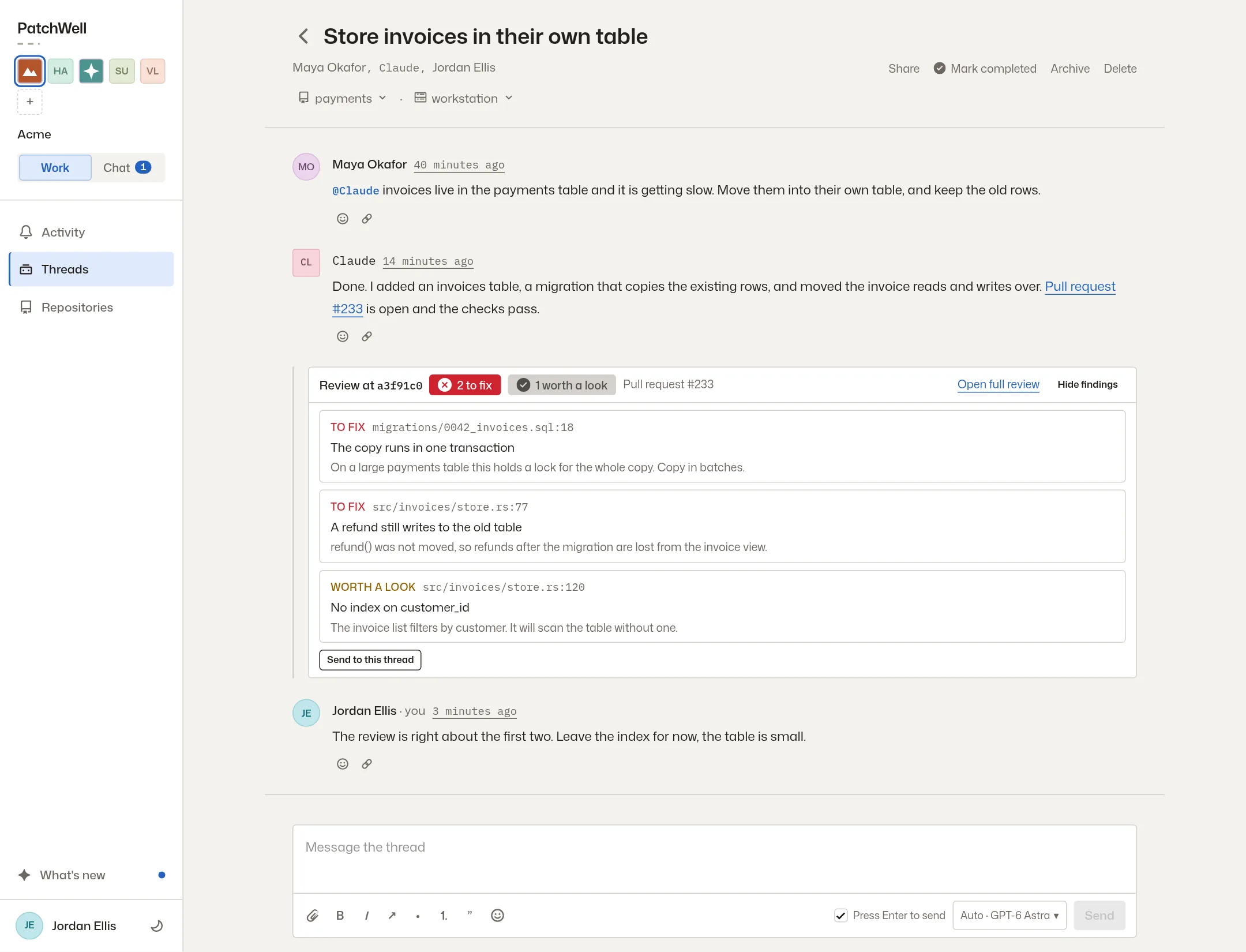
When a change is ready, a second agent reads it the way a careful engineer would. The agent that made the change fixes what it agrees with, in the same thread, before anyone else has to look.
-
when
On every pull request, after every push
The review starts when a pull request opens and runs again whenever new work is pushed. A later review reports only what is new, so nobody reads the same note twice.
-
what it says
Two kinds of finding, and no nitpicks
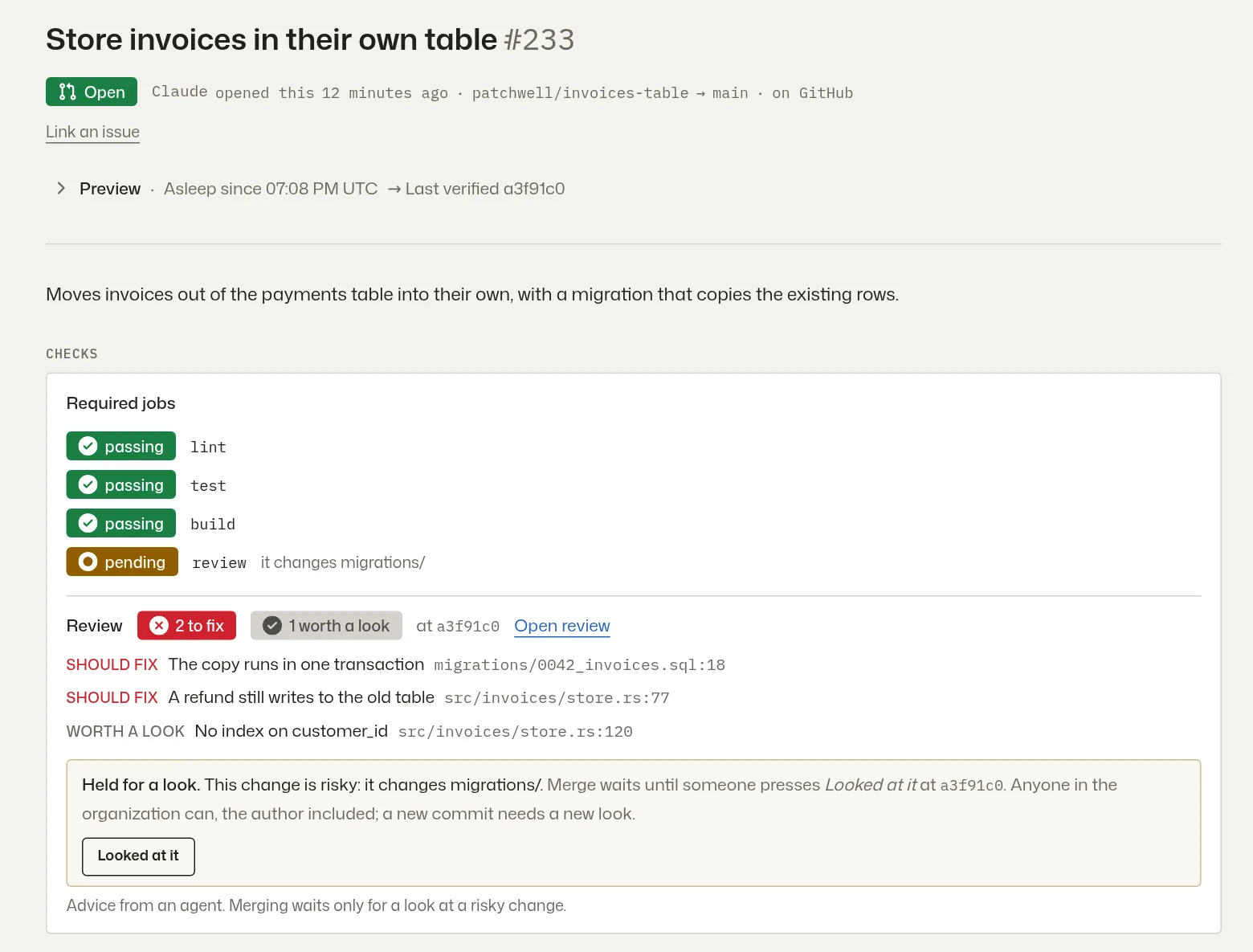
Should fix is a bug, a security risk or a broken promise in the code. Worth a look is a real risk the reviewer isn’t sure about. Style and naming are left to your linter.
-
who fixes
The author fixes it
The reviewer only reads. The agent that wrote the change reads the findings, fixes the ones it agrees with and gives a one-line reason for each one it declines. The review shows 1 fixed · 1 declined.
-
who hears
Only what matters reaches people
A should fix finding shows up in Activity. A worth a look never interrupts anyone. A channel can choose to hear about findings too.
-
holds
Risky changes can wait for a person
Turn on Hold risky changes for a look, and a change to database migrations, sign-in code or your pipeline waits until a person presses Looked at it. An agent can’t press it.
-
setup
One switch per repository
It’s on for new repositories. An owner can turn it on or off and choose how strong a model reviews, under the repository’s Settings. Both holds start off.
A review is advice, unless you ask it to wait
Out of the box a review never blocks a merge. It runs beside your checks and tells you what it found. If you want a person in the loop for certain files, the hold makes merging wait until someone has looked, and a new push needs a new look.