Blog ·
A tidier backlog: issues that need a second look
A review queue points out issues that look done, duplicated, forgotten or unclear, and says why. You decide what happens to each one.
Every issue list grows old. Some issues were fixed months ago and never closed. Some say the same thing twice. Some are one line long and nobody remembers what they meant. Cleaning up means reading every one, so it rarely happens.
Issues worth a second look, with the reason
Issues now have a review queue that points out issues worth a second look. It flags issues that seem already done or replaced by other work. It also flags ones that have gone quiet, are unclear, or look like duplicates. Each one comes with the reason it was flagged, such as the pull request that seems to have done it.
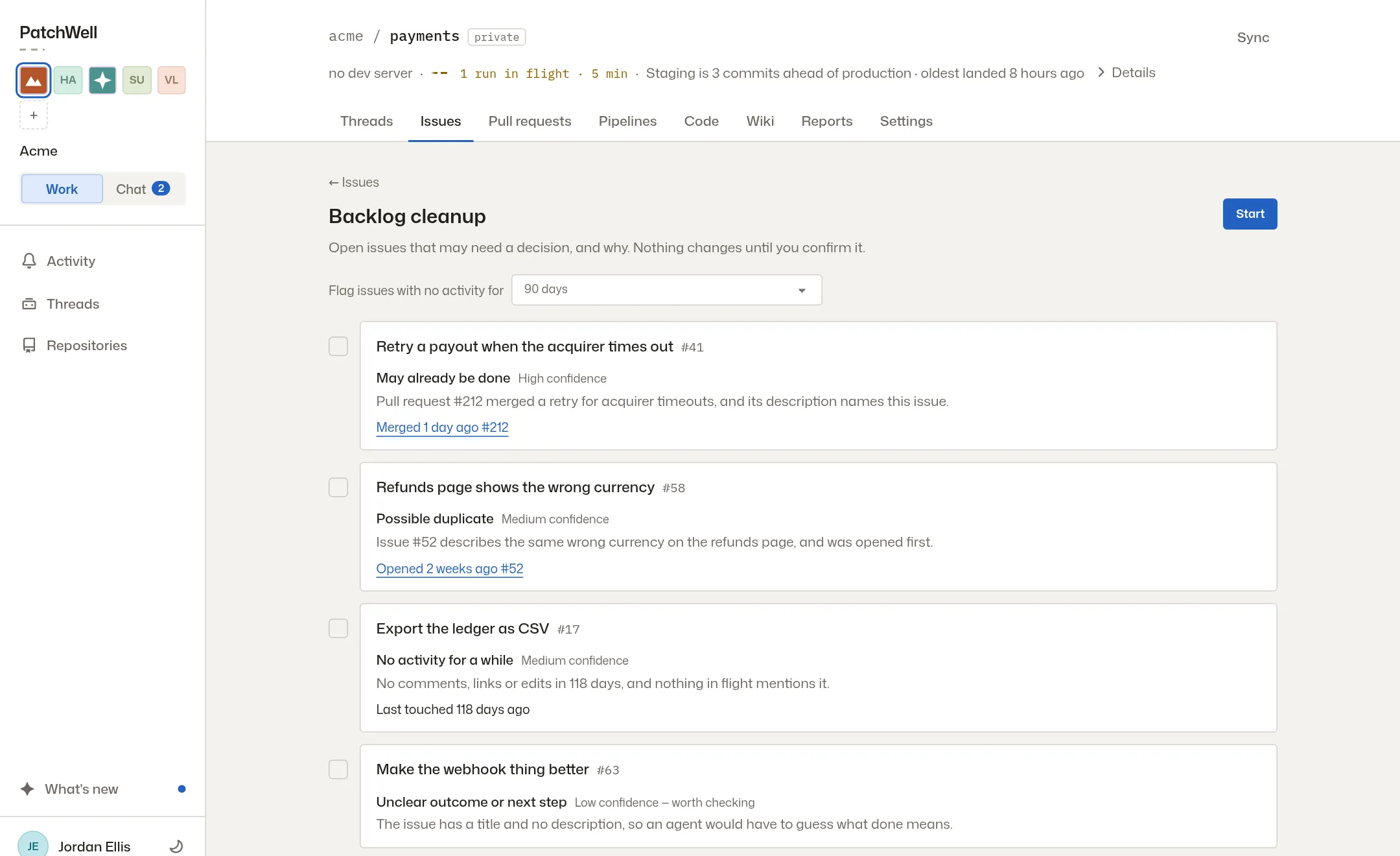
You decide what happens
Nothing closes on its own. For each issue you can keep it open, pick a date to look at it again, or move it to the icebox until you need it. A backlog health summary shows how the whole list is doing.
Say why an issue closed
When you close an issue, you can now say why: completed, a duplicate, replaced by other work, not planned, or not valid. You can also link the issue or pull request that settled it, so the next person to find it knows where the work went.
Build it in one click
An issue’s page has a Build button that starts an agent on it. The agent works in a thread, where you can follow it and try the change in a preview. Take the tour to see a change go from a request to production.
More from the blog
Every post, newest first, or follow the feed in a feed reader. The same notes appear in the app under What’s new.