Blog ·
Adding a host now takes one command
Pick a managed cloud host or your own machine. For your own, one command installs PatchWell, connects the machine and signs in an agent.
Connecting a computer for your agents used to mean a list of steps, and a step that failed halfway left you guessing where you were. Adding a host now starts with one choice and, for your own machine, one command.
Cloud, or a machine of your own
A host is the computer your agents do their work on. When you add one, you choose between a cloud host that is set up and managed for you and a machine you run yourself. For your own machine, one command installs PatchWell, connects the machine and signs in an agent. If setup stops partway, run the same command again and it picks up where it left off.
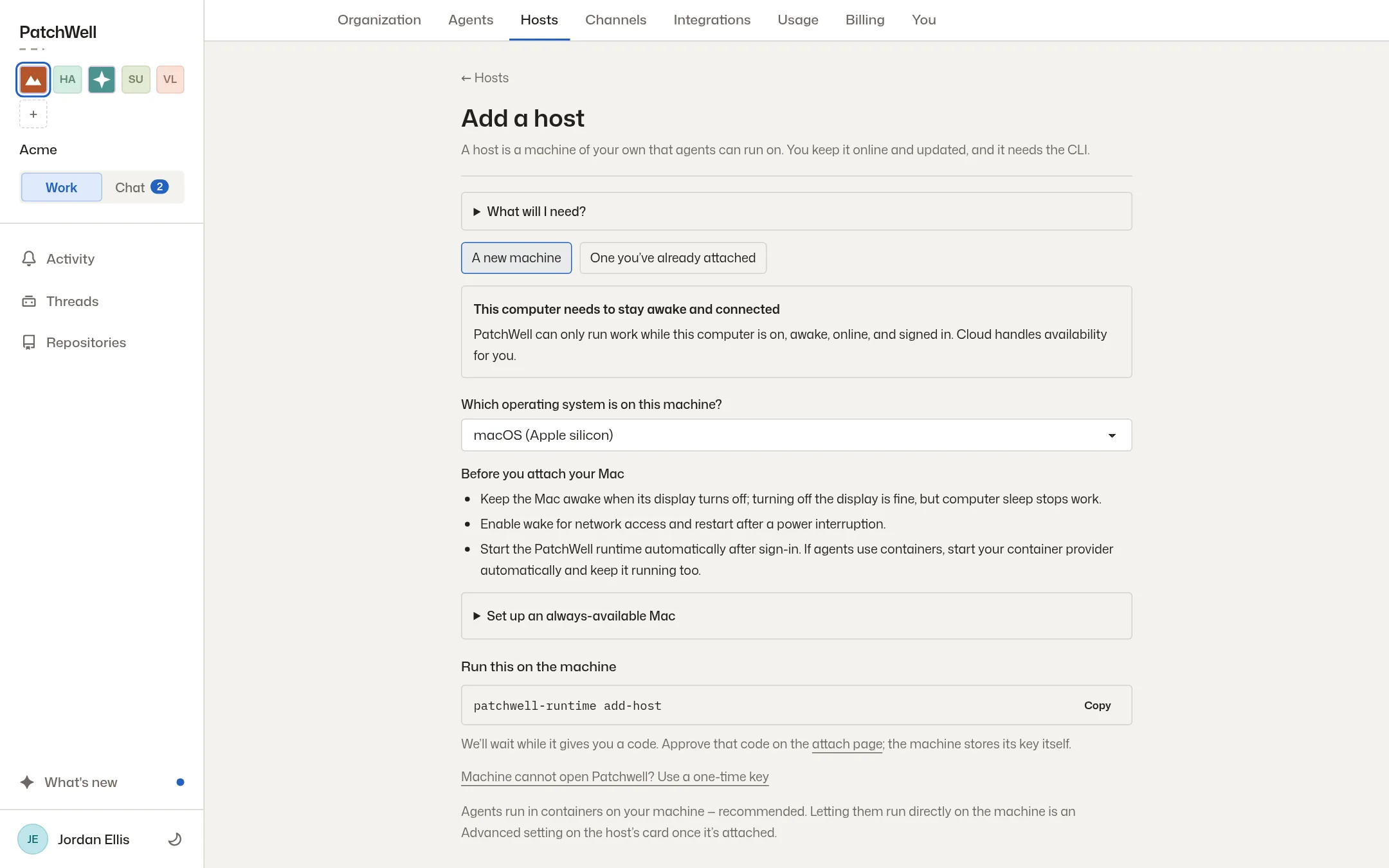
When a host says an update is available, it now tells you to restart after installing. Letting agents run directly on your machine, outside a container, now sits under Advanced, with a warning about what they can reach there.
Smaller things you will notice
On a phone, threads take less room. The title is a slim bar you tap to open, the status fits on one row, and messages use the full width of the screen.
When an agent needs to ask you something, the question now comes in its final answer, so you don’t have to dig for it. If one of its folded-away steps holds a question, that step says so.
Markdown files, the formatted text files many projects keep their docs in, now show as formatted pages in the Code tab. A thread also says plainly when previews are off, rather than waiting for one that will not start.
Read about running agents on your own computers, or start with the docs.
More from the blog
Every post, newest first, or follow the feed in a feed reader. The same notes appear in the app under What’s new.