Blog ·
PatchWell now works with GitLab
Sign in with GitLab, connect your GitLab.com projects, and agents hand in each change as a merge request your engineers review.
Until now, PatchWell only worked with code kept on GitHub. If your team keeps its code on GitLab, the answer was to wait. You can start today.
Sign in with GitLab
The sign-in page now has Continue with GitLab beside GitHub and the email link. If you already have a PatchWell account, open your account settings and choose Connect GitLab, so either one signs you in to the same account.
Pick GitLab when you make an organization
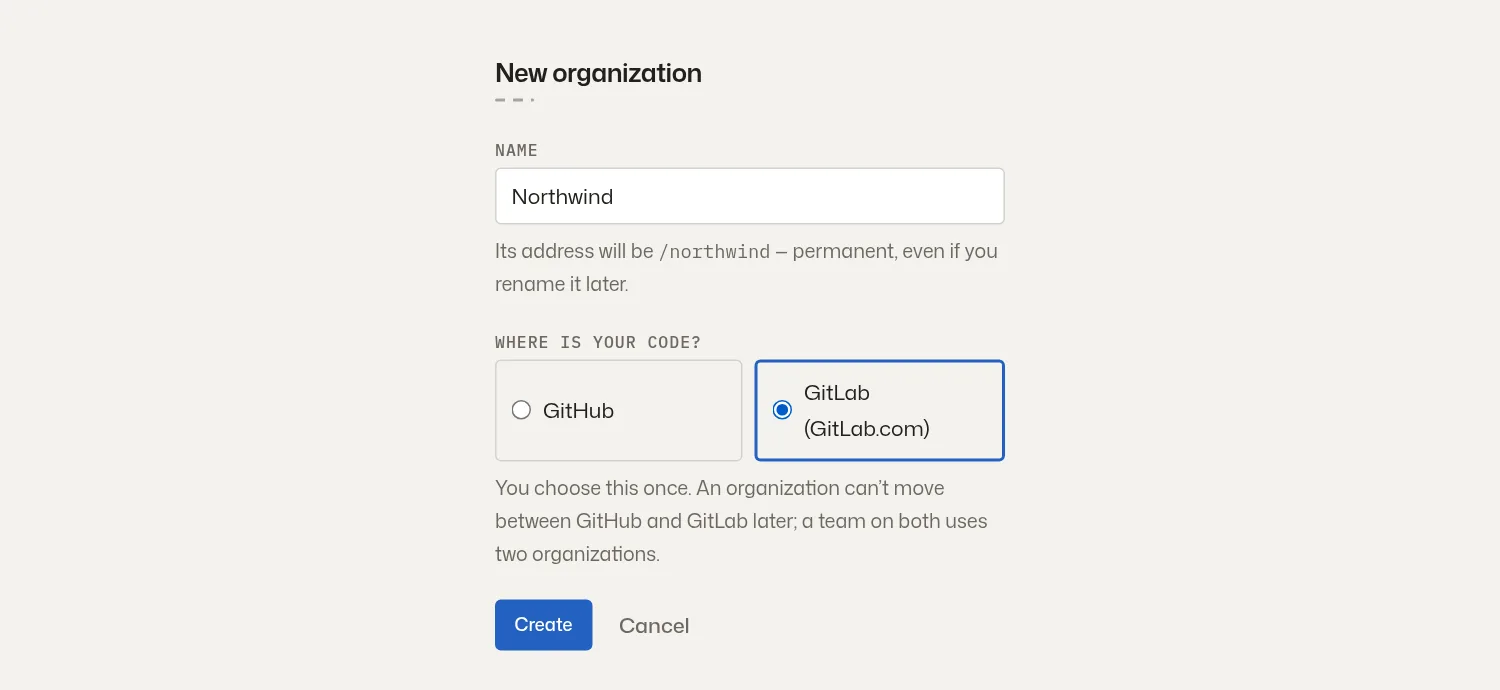
When you make a new organization, PatchWell asks where your code is. Pick GitLab, and the organization offers your GitLab projects to connect, including the ones in subgroups (a group inside a group, which is how many teams sort their projects on GitLab).
The work goes the way it does on GitHub
Someone asks for a change in a thread, an agent builds it and hands it in as a merge request, GitLab’s name for a proposed change your engineers review before it goes in. PatchWell calls it a pull request on screen, as it does for GitHub. Your checks run on every push, and PatchWell can also wait for GitLab’s own pipeline before a change goes in. Once merged, the change goes to staging first. Moving it to production uses your own GitLab sign-in, so GitLab records who did it.
What to know before you switch
PatchWell works with GitLab.com today. GitLab servers a company runs for itself are not supported yet. An organization is on GitHub or on GitLab, chosen once when it is made, so a team with code in both uses two organizations. In a GitLab organization you invite people by email. Your code stays on GitLab, because PatchWell doesn’t host it.
Sign in with GitLab and connect your first project, or see what each plan includes.
More from the blog
Every post, newest first, or follow the feed in a feed reader. The same notes appear in the app under What’s new.