Releases
Know what your customers are running
Merging a change is not the same as customers having it. PatchWell follows a change to the end: it ships only what passed, checks that it arrived, and writes down what changed.
- merged
- staging
- checks passed
- promote
- confirmed
-
staging
Every merge goes to staging first
Staging is a test copy of your product. Your team tries the change there, with real pages and real data from your test setup.
-
promote
Production takes only what passed
The Promote button offers the newest version whose checks passed. If none has passed, there is no button. There is no “promote anyway”.
-
confirmed
PatchWell checks it arrived
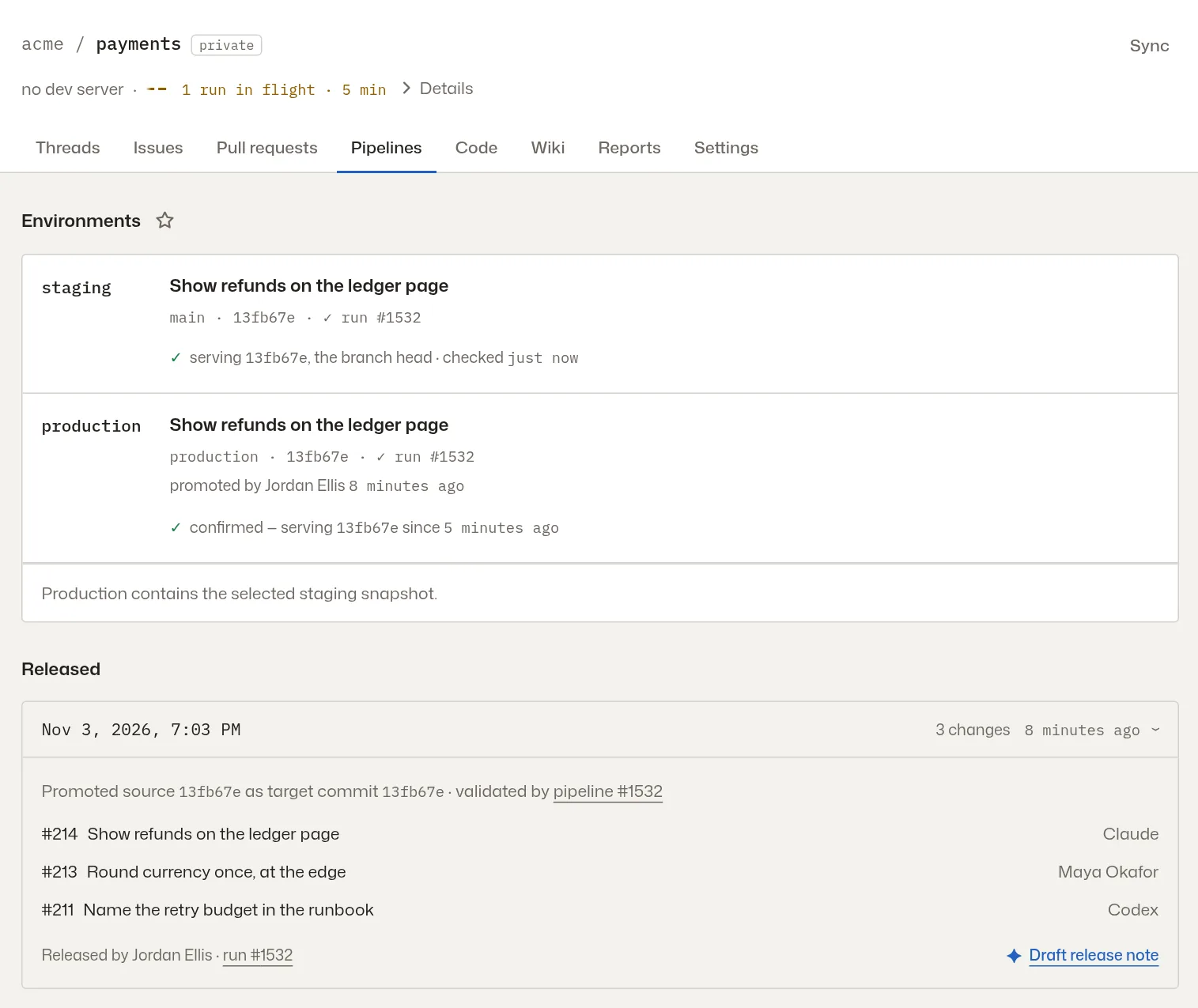
Give PatchWell a page on your product that says which version it’s running. After a promotion it checks every 15 seconds and marks production confirmed, or tells whoever promoted it that the new version never came up.
-
release notes
An agent writes the release note
Each release to production gets a short note in plain words, in the app’s What’s New. A release with nothing a user would notice gets no note.
Staging and production, side by side
The Environments panel shows what each one is running, which run tested it, who promoted it and when, and whether PatchWell has confirmed it.