Blog ·
Reports: how delivery is going, in four questions
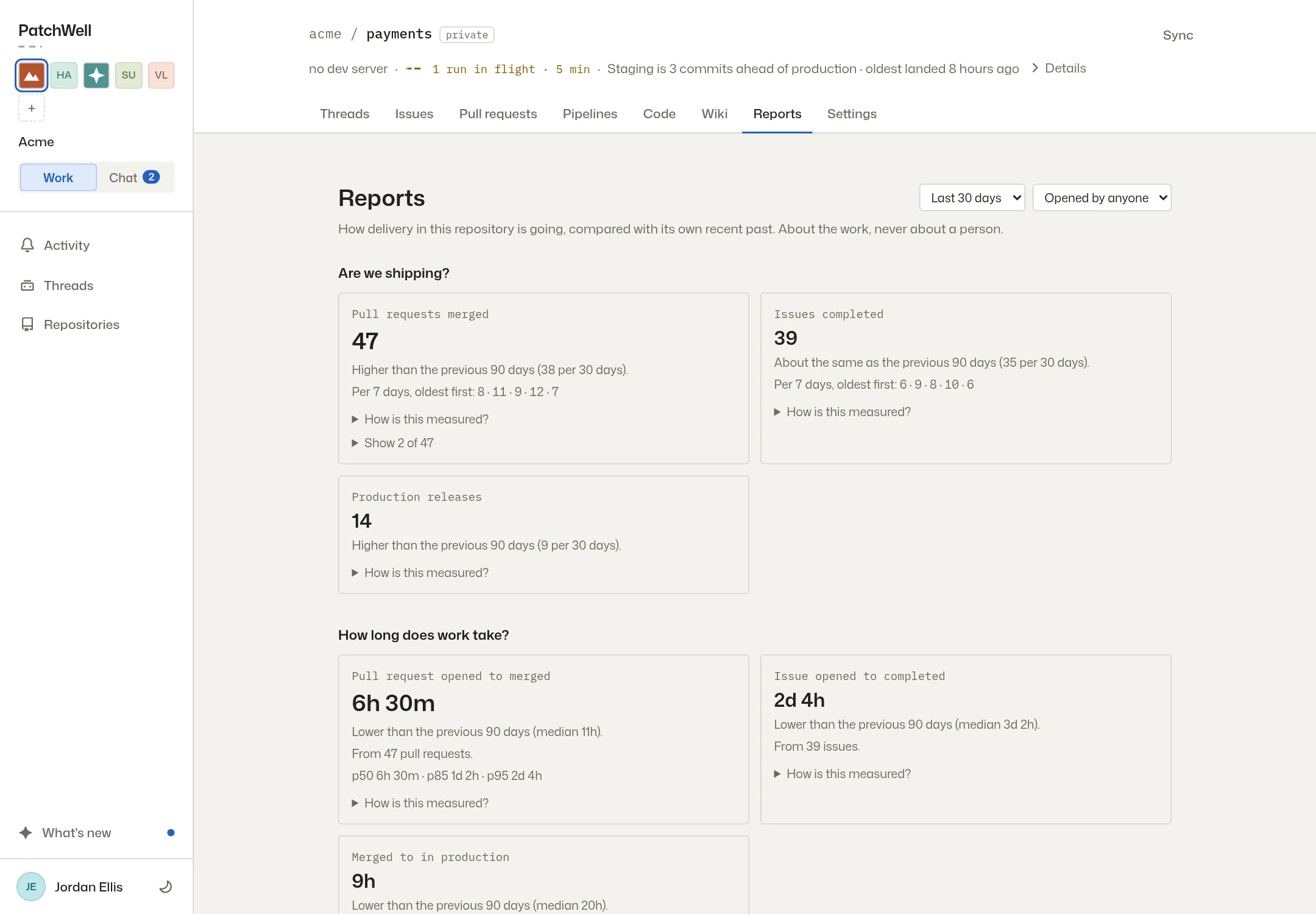
Each repository has a Reports tab that answers four questions about how work is going. Previews also tell you plainly whether they are ready.
Someone asks how the team is doing, and nobody has a straight answer. The pieces are spread across pull requests, pipeline runs and the issue list, and pulling them together takes an afternoon. Each repository now has a Reports tab that does that for you.
Four questions, answered from your own work
The tab answers four questions. Delivery flow shows how much ships and how long work takes, from the start to the merge and on to production. It also shows where work waits, and what has been open too long. Change risk shows how large changes are and which files change most often. It also counts how often a merge needs a follow-up fix or a revert. Backlog health shows how the issue list is keeping up. Collaboration shows where people and agents are working in the same parts of the code, and how a milestone’s scope has grown or shrunk.
Each number is compared with the repository’s own recent past, never with a target. The reports are about the work and never about a person.
Filter it, then look underneath
Filter by date, or to work opened by people or by agents. Open any number to see the issues and pull requests behind it.
Previews say what they are doing
A thread now tells you plainly whether its preview is ready, still getting ready, or has failed. A failed one has a Try again button. The last working preview stays open while a newer one gets ready, so you always have something to click. Previews shut down on their own when the pull request merges, when the thread is archived, or after six hours without use. Read how previews work, or see how a change reaches production.
More from the blog
Every post, newest first, or follow the feed in a feed reader. The same notes appear in the app under What’s new.